Ideas clave
1. Systemd revoluciona los sistemas init de Linux con arranque paralelo de servicios y gestión unificada
"A diferencia de SysV, systemd puede iniciar servicios en paralelo, en lugar de uno a la vez en secuencia. Esto permite tiempos de arranque mucho más rápidos que SysV."
Arranques más rápidos. El inicio paralelo de servicios de systemd reduce significativamente el tiempo de arranque del sistema en comparación con los sistemas init tradicionales como SysV. Esto resulta especialmente beneficioso en servidores con numerosos servicios.
Configuración unificada. Systemd introduce un enfoque coherente para la gestión de servicios en distintas distribuciones Linux. Utiliza archivos unitarios estandarizados para los servicios, facilitando a los administradores la configuración y administración de los componentes del sistema.
Características mejoradas:
- Gestión de dependencias entre servicios
- Activación de servicios bajo demanda
- Registro detallado y reporte de estado
- Control avanzado de recursos mediante integración con cgroups
2. Cgroups permiten un control preciso de recursos y aislamiento de procesos en sistemas Linux modernos
"Con cgroups, un administrador puede: gestionar el uso de recursos por procesos o usuarios."
Gestión de recursos. Cgroups permiten a los administradores establecer límites en el uso de CPU, memoria y E/S para procesos específicos o grupos de procesos. Esto evita que una sola aplicación monopolice los recursos del sistema.
Aislamiento de procesos. Cgroups constituyen la base para tecnologías de contenedores como Docker, al permitir que los procesos se aíslen entre sí. Esto mejora la seguridad y posibilita un uso más eficiente de los recursos en entornos multiusuario.
Características clave de cgroups:
- Asignación de tiempo de CPU y memoria
- Limitación del ancho de banda de E/S
- Control de acceso a dispositivos
- Organización jerárquica de procesos
3. Journald ofrece registro estructurado con capacidades avanzadas de búsqueda y análisis
"El uso de archivos binarios también nos brinda un extra de seguridad. Es más difícil para un atacante alterar archivos binarios, y además existe una forma de detectar si han sido modificados."
Registro estructurado. Journald almacena los datos de registro en formato binario, lo que permite un almacenamiento e indexación eficientes. Esto habilita potentes funciones de búsqueda y filtrado que no son fáciles de lograr con registros tradicionales en texto plano.
Mejoras en seguridad. El formato binario dificulta la manipulación de los registros y proporciona mecanismos para detectar alteraciones no autorizadas. Esto es fundamental para mantener la integridad de los registros en entornos sensibles a la seguridad.
Ventajas de Journald:
- Almacenamiento y recuperación eficiente de datos de registro
- Opciones avanzadas de filtrado y búsqueda
- Integración con systemd para registros específicos de servicios
- Capacidad para reenviar registros a sistemas syslog tradicionales para compatibilidad
4. Systemd-networkd y systemd-resolved ofrecen configuración flexible de red y resolución de nombres
"Con networkd, puedes hacer cosas que antes requerían iptables o nftables. Me parece que hacerlas con networkd es algo más sencillo."
Gestión simplificada de redes. Systemd-networkd proporciona un enfoque declarativo para la configuración de red, facilitando la creación de escenarios complejos en comparación con herramientas tradicionales.
Resolución DNS mejorada. Systemd-resolved ofrece funciones avanzadas de DNS como validación DNSSEC y DNS-over-TLS, aumentando la seguridad y privacidad en la resolución de nombres.
Características clave de red:
- Configuración estática y dinámica de IP
- Agregación de interfaces y VLANs
- Funcionalidad integrada de servidor DHCP
- Integración con otros componentes de systemd para gestión de red basada en eventos
5. Chrony y systemd-timesyncd garantizan una sincronización horaria precisa en sistemas Linux
"Chrony funciona mejor con máquinas virtuales."
Sincronización horaria flexible. Chrony ofrece funciones avanzadas para mantener la precisión del tiempo, especialmente en entornos con conexiones inestables o sistemas que se reinician con frecuencia. Es ideal para máquinas virtuales y contenedores.
Alternativa ligera. Systemd-timesyncd proporciona una opción más sencilla y liviana para sincronización básica NTP, adecuada para muchos escenarios de escritorio y servidor donde no se requiere precisión extrema.
Consideraciones sobre sincronización:
- Compensación de deriva del reloj de hardware
- Ajustes graduales de frecuencia y tiempo
- Soporte para operación sin conexión
- Integración con PTP (Protocolo de Tiempo Preciso) para precisión sub-microsegundo
6. GRUB2 y systemd-boot son cargadores de arranque versátiles para sistemas BIOS y UEFI
"GRUB2 no es una actualización de GRUB Legacy. Es un cargador completamente nuevo creado desde cero."
Flexibilidad de GRUB2. GRUB2 soporta sistemas BIOS y UEFI, convirtiéndolo en una opción versátil para una amplia variedad de hardware. Ofrece funciones avanzadas como arranque múltiple de sistemas operativos y carga de parámetros personalizados del kernel.
Simplicidad de systemd-boot. Systemd-boot es una alternativa ligera y rápida para sistemas UEFI. Es más fácil de configurar que GRUB2 y se integra bien con otros componentes de systemd.
Comparativa de cargadores:
- GRUB2: configuración más compleja, soporte para BIOS y UEFI, amplias opciones de personalización
- Systemd-boot: solo UEFI, configuración sencilla, arranque más rápido, integración estrecha con systemd
7. La arquitectura modular de systemd permite personalizar servicios, objetivos y comportamiento del sistema
"Para aprovechar al máximo este libro, deberías tener un buen dominio básico del uso de la línea de comandos en Linux y saber crear máquinas virtuales en VirtualBox."
Diseño extensible. La arquitectura modular de systemd permite a los administradores personalizar fácilmente el comportamiento del sistema modificando archivos unitarios y creando nuevos servicios. Esta flexibilidad posibilita un control detallado del arranque y la ejecución del sistema.
Objetivos para estados del sistema. Systemd reemplaza los tradicionales niveles de ejecución por objetivos, ofreciendo una forma más flexible de definir estados del sistema y gestionar grupos de servicios.
Opciones de personalización:
- Creación y modificación de archivos unitarios de servicios
- Definición de objetivos personalizados para configuraciones específicas
- Uso de archivos drop-in para sobrescribir configuraciones predeterminadas
- Aprovechamiento de la arquitectura basada en eventos de systemd para gestión automatizada del sistema
Resumen de reseñas
Las opiniones sobre "Gestión de Servicios en Linux Simplificada con systemd" son variadas. Un lector critica la calidad de la edición y cuestiona la afirmación del autor sobre la exhaustividad del contenido, considerando que el libro resulta insuficiente para desarrolladores. Por otro lado, un administrador de Linux lo encuentra útil para comprender los conceptos de systemd, aunque en ocasiones carece de profundidad. La obra aborda diversos componentes de systemd que sustituyen a las herramientas tradicionales de Linux. En general, los lectores reconocen su utilidad para administradores de sistemas, aunque señalan limitaciones en cuanto a alcance y edición.
También leyeron






Preguntas frecuentes
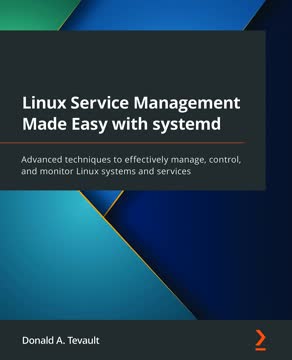
What is "Linux Service Management Made Easy with systemd" by Donald A. Tevault about?
- Comprehensive systemd coverage: The book is a detailed guide to systemd and its ecosystem, designed to help readers become more effective Linux system administrators.
- Hands-on learning: Donald A. Tevault uses practical examples and demos to explain how systemd works under the hood, making complex concepts approachable.
- Wide-ranging topics: It covers systemd units, timers, targets, cgroups, logging, networking, the boot process, and system parameters, providing a deep dive into systemd’s capabilities.
- For all experience levels: The book is suitable for both beginners and experienced administrators, aiming to demystify advanced Linux service management.
Why should I read "Linux Service Management Made Easy with systemd" by Donald A. Tevault?
- Fills documentation gap: The book addresses the lack of comprehensive, up-to-date systemd documentation with clear explanations and practical examples.
- Certification preparation: It is a valuable resource for those studying for Linux certifications like CompTIA, LPI, or vendor-specific exams.
- Skill improvement: Readers will gain a deeper understanding of systemd’s architecture and commands, enabling more efficient and secure Linux administration.
- Bridges knowledge gaps: The book simplifies complex topics and updates outdated or confusing online tutorials, making systemd mastery more accessible.
What are the key takeaways from "Linux Service Management Made Easy with systemd" by Donald A. Tevault?
- Practical systemd mastery: Readers learn actionable skills for managing, controlling, and monitoring Linux services using systemd.
- Holistic ecosystem understanding: The book covers not just service management, but also logging (journald), networking (networkd, resolved), time synchronization, and bootloader integration.
- Resource management: It explains how to use cgroups for CPU, memory, and I/O control, and how to automate tasks with timers and custom shutdown jobs.
- Security and performance: The book highlights systemd’s advanced security features, parallelized boot process, and tools for analyzing and optimizing system performance.
How does Donald A. Tevault explain the history and need for systemd in "Linux Service Management Made Easy with systemd"?
- Legacy init system issues: The book reviews SysV init and Upstart, highlighting their slow, sequential booting, complexity, and inconsistent implementations across distributions.
- Systemd’s emergence: It explains how systemd was developed to address these shortcomings with parallel service startup, simpler configuration, and better resource management.
- Controversy discussion: Tevault covers the debates around systemd’s scope, corporate influence, security concerns, and binary logging, providing balanced counterpoints.
- Objective perspective: The book helps readers understand why systemd became the standard despite initial resistance in the Linux community.
What are systemd unit files and their types according to "Linux Service Management Made Easy with systemd"?
- Unit file overview: systemd uses unit files, not shell scripts, to manage services and resources, with each file type indicated by its extension.
- Common unit types: The book details service, socket, path, timer, target, mount, automount, slice, and swap units, explaining their roles in system management.
- File locations and structure: Unit files are stored in /lib/systemd/system/ and /etc/systemd/system/, and have a standardized, easy-to-read format.
- Management commands: Readers learn how to view, edit, and interact with unit files using systemctl and related tools.
How does "Linux Service Management Made Easy with systemd" by Donald A. Tevault guide controlling and managing systemd services?
- Basic service commands: The book covers starting, stopping, reloading, enabling, disabling, killing, and masking services with systemctl.
- Service behavior differences: It explains how default service states can vary between distributions and how service files define start/stop/reload actions.
- Advanced control: Tevault discusses how systemd cleanly kills services and their child processes, and how masking prevents accidental service starts.
- Best practices: The book emphasizes using override files or copies in /etc/systemd/system/ for customizations to avoid losing changes during updates.
What advice does Donald A. Tevault give for creating and editing systemd services in "Linux Service Management Made Easy with systemd"?
- Editing best practices: The book recommends creating override files or full copies in /etc/systemd/system/ instead of editing files in /lib/systemd/system/ directly.
- Partial and full edits: Readers learn to use systemctl edit for partial (section-specific) or full (entire file) modifications.
- Security enhancements: Tevault shows how to add directives like ProtectHome and ProtectSystem to sandbox services and improve security.
- Container integration: The book demonstrates creating systemd service files for managing containers (e.g., with podman), including rootless setups.
How are systemd targets explained and compared to SysV runlevels in "Linux Service Management Made Easy with systemd"?
- Targets as groups: systemd targets group units for specific system states, replacing the older concept of runlevels.
- Dependency chains: Targets can depend on each other, allowing modular and hierarchical boot configurations, unlike independent SysV runlevels.
- Managing targets: The book covers viewing, changing, and isolating targets with systemctl, and explains backward compatibility with runlevel commands.
- Flexible system states: This approach enables more granular and flexible system state management than traditional runlevels.
What are systemd timers and how do they compare to cron in "Linux Service Management Made Easy with systemd"?
- Timer basics: systemd timers schedule jobs by activating associated service units, rather than running scripts directly like cron.
- Advantages over cron: Timers offer better integration with systemd features, flexible scheduling (monotonic and real-time), and improved logging and resource management.
- Creating timers: The book guides readers through creating both system-level and user-level timers, configuring OnCalendar and monotonic options.
- Automated task execution: Timers enable more robust and manageable automation compared to traditional cron jobs.
How does "Linux Service Management Made Easy with systemd" by Donald A. Tevault explain cgroups and their importance?
- Definition and purpose: Cgroups (control groups) are a Linux kernel feature for grouping processes to manage and limit resource usage like CPU, memory, and I/O.
- Historical context: Developed by Google in 2006, cgroups predate systemd but are now tightly integrated with it for resource control.
- Benefits: Cgroups improve security, enable efficient resource allocation, support containerization, and allow accurate billing on shared systems.
- Version differences: The book explains both Version 1 (widely used) and Version 2 (more streamlined, supports rootless containers) and their respective advantages.
What are the main resource controllers in cgroups, and how can they be managed according to Donald A. Tevault?
- Major controllers: The book highlights cpu (CPU usage), memory (RAM usage), and blkio (block device I/O bandwidth) as the primary controllers managed via systemd.
- CPU management: Administrators can limit CPU usage per user or service using systemctl set-property with the CPUQuota parameter.
- Memory and I/O limits: MemoryMax and BlockIOReadBandwidth parameters help prevent resource hogging and improve system stability.
- Practical examples: Tevault provides real-world scenarios for controlling resource usage, such as binding processes to specific CPU cores.
How does "Linux Service Management Made Easy with systemd" by Donald A. Tevault compare journald and rsyslog for Linux logging?
- File format and security: journald uses a binary format that is more space-efficient and tamper-resistant than rsyslog’s plaintext files, with support for log file sealing.
- Functionality: journald offers structured logging, built-in filtering, and JSON output, making log analysis easier and more powerful.
- User separation: It separates system and user logs, allowing non-privileged users to view their own logs securely.
- Coexistence: Most distros run both journald and rsyslog, as journald’s remote logging is still experimental and many tools expect plaintext logs.
What networking and user session management features of systemd are covered in "Linux Service Management Made Easy with systemd" by Donald A. Tevault?
- Networking components: The book covers systemd-networkd and systemd-resolved for advanced network and DNS management, including features like bridged networking, split DNS, DNSSEC, and DNS-over-TLS.
- Netplan on Ubuntu: It explains how Netplan acts as a frontend for configuring networkd or NetworkManager via YAML files, simplifying server network setup.
- User session management: systemd-logind creates cgroup slices and scopes for each user session, improving resource management and isolation.
- Polkit integration: systemd-logind works with polkit for fine-grained privilege escalation, allowing secure delegation of administrative tasks without full sudo access.