Key Takeaways
1. Context is Paramount: Define Who, What, and How Before Visualizing
Before you begin down the path of creating a data visualization or communication, attention and time should be paid to understanding the context for the need to communicate.
Start with purpose. Effective data visualization doesn't begin with the data itself, but with a clear understanding of your communication's context. This involves distinguishing between exploratory analysis (hunting for insights) and explanatory analysis (explaining specific insights). When communicating, always aim for explanatory, presenting only the "pearls" of your findings, not all 100 "oysters" of your exploration.
Define your audience and objective. Crucially, identify who your audience is and what you need them to know or do. The more specific you are about your audience (e.g., a budget committee vs. parents), the better you can tailor your message. Your objective should be a clear call to action or a specific understanding you want to impart. Only after these are clear should you consider how data can support your point, acting as evidence for your story.
Frame your Big Idea. To ensure clarity, articulate a "3-minute story" and a "Big Idea." The 3-minute story is a concise summary of your message, while the Big Idea boils it down to a single, complete sentence that conveys your unique point of view and what's at stake. Storyboarding, using low-tech methods like Post-it notes, helps structure your narrative before diving into software, saving time and preventing attachment to early, potentially flawed designs.
2. Choose the Right Visual: Select Effective Displays for Your Data
The answer is always the same: whatever will be easiest for your audience to read.
Simplicity often wins. When you have only one or two numbers to convey, simple text can be more impactful than a complex graph or table. For instance, stating "20% of children had a traditional stay-at-home mom in 2012, compared to 41% in 1970" is clearer than a minimalist bar chart for just two values. Tables are excellent for mixed audiences needing specific data points or for displaying multiple units of measure, but should be designed with light borders or white space to let the data shine.
Graphs for quick insights. Graphs engage our visual system, which processes information faster than our verbal system. The most commonly used and effective graph types fall into four categories:
- Points: Scatterplots show relationships between two variables.
- Lines: Line graphs are ideal for continuous data, especially over time, and slopegraphs effectively show relative changes between two points.
- Bars: Bar charts are versatile for categorical data, easy to read, and must always have a zero baseline to avoid misleading comparisons. Horizontal bar charts are particularly effective for long category names.
- Area: Generally avoided due to difficulty in quantitative interpretation, except for square area graphs when visualizing vastly different magnitudes.
Test for clarity. When selecting a visual, always ask: "What is the best way to show the data you want to communicate?" The ultimate test is to show your visual to a friend or colleague and observe their interpretation process. Their feedback on where they focus, what they see, and what questions they have will reveal if your chosen visual effectively conveys your message.
3. Eliminate Clutter: Reduce Cognitive Load for Your Audience
Every single element you add to that page or screen takes up cognitive load on the part of your audience—in other words, takes them brain power to process.
Minimize extraneous effort. Clutter refers to visual elements that consume space without enhancing understanding, leading to extraneous cognitive load. This unnecessary mental effort can make your visuals appear overly complicated, risking audience disengagement. The goal is to maximize the "data-ink ratio" or "signal-to-noise ratio," ensuring that every element serves a clear, informative purpose.
Leverage Gestalt Principles. The Gestalt Principles of Visual Perception explain how people naturally organize visual information, offering guidance on identifying and removing clutter:
- Proximity: Objects close together are perceived as a group.
- Similarity: Objects with similar attributes (color, shape) are grouped.
- Enclosure: Enclosed objects are seen as a group.
- Closure: Our brains complete incomplete shapes.
- Continuity: Our eyes follow the smoothest path.
- Connection: Connected objects are perceived as a group.
Applying these principles helps streamline design; for example, removing chart borders (closure) or gridlines (continuity) allows data to stand out more.
Prioritize visual order. Thoughtful design fades into the background, but a lack of visual order creates discomfort. Ensure elements are aligned to create clean lines, avoiding center-aligned text which can appear sloppy. Embrace white space strategically; it's as crucial as pauses in public speaking, drawing attention to the content that isn't blank. Avoid non-strategic use of contrast, as too many differing elements prevent anything from truly standing out, making your "hawk" indistinguishable in a "sky full of pigeons."
4. Focus Attention: Guide Your Audience's Eyes with Preattentive Attributes
Preattentive attributes are critical tools in your visual design tool belt, so we’ll come back to those in a moment.
Harness iconic memory. Our iconic memory processes visual information incredibly fast, without conscious effort, and is highly attuned to "preattentive attributes." These attributes allow us to quickly spot differences in our environment, a survival mechanism that can be leveraged to direct audience attention. For example, changing the color of a specific number makes it instantly noticeable, demonstrating how these attributes can make information processing faster and easier.
Strategic use of attributes. Preattentive attributes like size, color, and position on page are powerful tools when used sparingly and strategically. They serve two main purposes:
- Directing focus: Guiding the audience's eyes to the most important parts of your visual.
- Creating hierarchy: Establishing a visual order that indicates how information should be processed (e.g., what to look at first, second, etc.).
By making some elements stand out and pushing others to the background, you create implicit instructions for your audience, making your visuals scannable within the crucial 3-8 seconds they typically spend deciding whether to engage.
Key attributes for emphasis:
- Size: Larger elements denote greater importance. Ensure equally important items are sized similarly.
- Color: When used sparingly, color is one of the most powerful tools. Design in shades of grey and use a single bold color to highlight key information. Be mindful of colorblindness (avoid red/green combinations) and cultural connotations.
- Position on page: Audiences typically scan from top-left in a "z" pattern. Place the most important information in this prime real estate.
Always make intentional design choices; don't let tool defaults dictate your emphasis.
5. Think Like a Designer: Apply Principles of Affordance, Accessibility, and Aesthetics
People perceive more aesthetic designs as easier to use than less aesthetic designs—whether they actually are or not.
Design for intuitive use. "Form follows function" is a core design principle: first, consider what you want your audience to do with the data, then create a visualization that facilitates that action. This involves leveraging "affordances"—design aspects that make the product's use obvious. In data visualization, this means highlighting important information, eliminating distractions, and creating a clear visual hierarchy, ensuring your audience intuitively understands how to interact with your visual.
Ensure broad accessibility. Accessible design means your visuals are usable by people of diverse abilities and technical skills. Avoid overcomplicating: research shows that if something looks hard to read, it's perceived as harder to do. Use legible, consistent fonts, keep visuals clean, and employ straightforward language, defining any jargon. The onus is on the designer to make the graph understandable, not on the audience to decipher it.
Embrace aesthetics. "Making it pretty" is crucial because aesthetic designs are perceived as easier to use, more readily accepted, and can even foster tolerance for minor design flaws. To achieve aesthetic design:
- Be smart with color: Use it sparingly and strategically.
- Pay attention to alignment: Create clean vertical and horizontal lines.
- Leverage white space: Preserve margins and use blank space for emphasis.
Mimic effective designs you admire, building a visual library for inspiration. Thoughtful attention to aesthetics demonstrates respect for your data and your audience, increasing engagement and acceptance.
6. Leverage Text Wisely: Use Words to Label, Explain, and Reinforce Your Message
Thoughtful use of text helps ensure that your data visualization is accessible.
Text is your ally. Text plays a multifaceted role in effective data communication: it labels, introduces, explains, reinforces, highlights, recommends, and tells a story. Every chart needs a clear title, and every axis needs a label (with rare exceptions) to prevent audience confusion and ensure their cognitive load is spent on understanding the data, not deciphering the visual.
Action-oriented titles. Utilize the title bar of your slides or visuals for "action titles" rather than merely descriptive ones. Instead of "2015 Budget," use "Estimated 2015 spending is above budget." This immediately conveys your main takeaway or call to action, setting audience expectations and ensuring your core message isn't missed.
Annotate for clarity. Don't assume your audience will draw the same conclusions from your data. If there's a specific conclusion you want them to reach, state it explicitly in words. Annotate important or interesting points directly on the graph to explain nuances, highlight key findings, or describe relevant external factors. David McCandless's "Peak Break-up Times According to Facebook Status Updates" is a prime example of how a few well-chosen words can make complex data instantly accessible and engaging.
7. Craft a Compelling Story: Structure Your Communication with a Clear Narrative
Stories resonate and stick with us in ways that data alone cannot.
Embrace the power of story. Stories captivate attention, evoke emotion, and are memorable in ways that raw facts cannot be. Humans have communicated through stories for millennia, and this powerful tool can be leveraged for business communications. A good story, like Red Riding Hood, has a clear beginning, middle, and end, embedding information in our long-term memory.
Structure with beginning, middle, and end. Adopt Aristotle's three-act structure (setup, conflict, resolution) for your communications:
- Beginning (Plot): Introduce the setting, main character (your audience), the current imbalance (problem), and the desired balance (solution). Pique interest by framing the story around your audience's problem.
- Middle (Twists): Develop "what could be" by convincing your audience of the need for action. Provide background, external context, examples, and data to demonstrate the problem and illustrate the benefits of your proposed solution.
- End (Call to Action): Conclude with a clear, explicit call to action, reiterating the problem and the urgency for action.
Conflict and tension are vital; a story where everything is "rosy" is uninteresting and uninspiring.
Ensure narrative flow. Your story must have a logical order. Consider whether a chronological approach (following your analytical process) or leading with the ending (your recommendation) best suits your audience and objective. For live presentations, your spoken narrative reinforces visuals, but for written reports, the text must stand alone. Use "Bing, Bang, Bongo" (tell them what you'll tell them, tell them, tell them what you told them) to leverage repetition and ensure your message sticks.
8. Avoid Common Pitfalls: Steer Clear of Ineffective Chart Types and Practices
One of the golden rules of data visualization goes like this: never use 3D.
Banish misleading visuals. Certain chart types and design choices consistently hinder effective communication and should be avoided. These include:
- Pie and Donut Charts: Humans are poor at comparing angles and areas, making these charts difficult to interpret accurately, especially when segments are similar in size. A horizontal bar chart is almost always a superior alternative.
- 3D Effects: Never use 3D unless you are actually plotting a third dimension, and even then, proceed with extreme caution. 3D skews visual perception, making data difficult or impossible to interpret and compare, as seen in the misleading Fox News bar chart example.
- Secondary Y-Axes: These often confuse audiences by requiring them to decipher which data series corresponds to which axis. Instead, label data points directly or separate graphs vertically with consistent x-axes.
Beware the "spaghetti graph." Line graphs with too many overlapping lines become unreadable "spaghetti graphs." Strategies to untangle them include:
- Emphasize one line: Use preattentive attributes (color, thickness) to highlight a single series while others fade into the background.
- Separate spatially: Break the graph into small multiples, either vertically (consistent x-axis) or horizontally (consistent y-axis), to allow for easier comparison of individual trends or values.
Always prioritize clarity over cramming too much data into a single visual.
9. Iterate and Seek Feedback: Refine Your Visuals Through Continuous Improvement
When the best course for visualizing certain data is unclear, start with a blank piece of paper.
Embrace iteration. The process of creating effective data visualizations is rarely linear; it requires iteration. Begin by sketching ideas on paper to brainstorm freely, unconstrained by software. This low-fidelity approach reduces attachment to early designs, making it easier to discard or modify concepts. Once in a digital tool, use an "optometrist approach": create version A, then version B with a single change, and compare to determine which is superior.
Seek diverse perspectives. A fresh set of eyes is invaluable. Share your work-in-progress with a friend or colleague, especially someone unfamiliar with the context. Ask them to articulate:
- What they pay attention to first.
- What observations they make.
- What questions they have.
- Suggestions for improvement.
This feedback helps you see your visual through your audience's lens, identifying areas of confusion or missed opportunities for clarity.
Allocate sufficient time. Effective storytelling with data demands time. It's easy for the analytical process (data collection, cleaning, analysis) to consume all available time, leaving little for the crucial communication step. However, the communication phase is the only part your audience sees. Budget ample time for designing, refining, and iterating your visuals and narrative. This investment prevents the loss of potential value and ensures your insights drive action and effect change.
10. Practice and Learn: Master Your Tools and Develop Your Unique Style
Data visualization—and communicating with data in general—sits at the intersection of science and art.
Master your tools. Don't let your software limit your ability to communicate effectively. Choose a tool (like Excel, Tableau, or programming languages) and learn it thoroughly. While courses can help with basics, hands-on practice and troubleshooting (e.g., via Google searches) are key to bending the tool to your will. Remember, powerful visualizations don't require fancy tools; many effective examples are created with common software like Microsoft Excel.
Seek inspiration and critique. Build a visual library of effective data visualizations that you admire. Analyze why they are effective and consider how you might adapt their approaches. Emulating experts is a powerful learning strategy. Conversely, learn from "bad" examples by identifying their flaws and brainstorming improvements. This continuous learning process sharpens your discerning eye for effective visual communication.
Develop your personal style. Data visualization offers ample space for creativity. Don't be afraid to experiment with different fonts, colors, and graph elements to discover what works best for you and your audience. Your personal style will evolve through trial and error. While company branding might influence your choices, ensure your stylistic elements always make information easier, not harder, for your audience to consume. Have fun with the process, and let your creativity shine through in your data stories.
Review Summary
Storytelling with Data receives high praise from readers, with an average rating of 4.47/5. Reviewers appreciate its practical approach to data visualization, offering systematic methods for clear communication. The book is lauded for its step-by-step guidance, exercises, and emphasis on decluttering charts. Readers find it valuable for both data professionals and those looking to improve their storytelling skills. Many consider it a comprehensive resource, complementing the author's previous work and providing actionable insights for crafting compelling data narratives.
People Also Read




 Immersive



FAQ
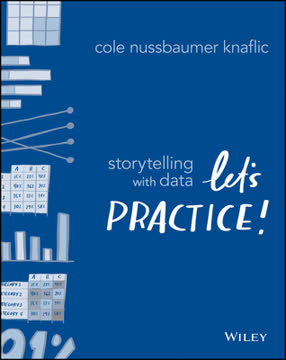
1. What is "Storytelling with Data: Let's Practice!" by Cole Nussbaumer Knaflic about?
- Practical data visualization guide: The book is a hands-on guide for business professionals on how to effectively communicate with data through visual storytelling.
- Focus on communication, not tools: It emphasizes the importance of context, audience, and message over specific software or technical skills.
- Step-by-step lessons: The book is structured around six core lessons that build a foundation for creating clear, compelling data visualizations.
- Real-world examples: It uses before-and-after visuals, case studies, and examples from various industries to illustrate best practices and common pitfalls.
2. Why should I read "Storytelling with Data: Let's Practice!" by Cole Nussbaumer Knaflic?
- Essential workplace skill: The ability to communicate effectively with data is increasingly important in today’s data-driven world and can set you apart in your career.
- Bridges knowledge gaps: Most people are not taught how to pair numbers with narrative; this book fills that gap with actionable advice.
- Immediate applicability: The lessons and techniques can be applied right away to improve presentations, reports, and everyday business communications.
- Broad relevance: The book is useful for analysts, managers, students, and anyone who needs to present data to drive decisions or influence others.
3. What are the six key lessons in "Storytelling with Data: Let's Practice!" and what do they cover?
- Understand the context: Know your audience, what you want them to know or do, and the best way to communicate with them.
- Choose an appropriate visual display: Select the right type of chart or graph to best convey your message, avoiding common pitfalls like pie charts and 3D visuals.
- Eliminate clutter: Remove unnecessary elements that distract from your message, using principles like Gestalt psychology to guide design.
- Focus attention where you want it: Use preattentive attributes such as color, size, and position to direct your audience’s focus.
- Think like a designer: Apply design principles like affordances, accessibility, and aesthetics to make your visuals intuitive and appealing.
- Tell a story: Structure your communication with a clear beginning, middle, and end, using narrative techniques to make your message memorable and actionable.
4. How does Cole Nussbaumer Knaflic define and use "context" in data storytelling?
- Audience-centric approach: Context starts with understanding who your audience is and what they care about, allowing you to tailor your message.
- Purpose-driven communication: Clearly define what you want your audience to know or do as a result of your communication.
- Communication mechanism: Consider how your message will be delivered (live presentation, written report, email) and adjust detail and control accordingly.
- Tools for clarity: Techniques like the 3-minute story, the Big Idea, and storyboarding help distill and organize your message before creating visuals.
5. What are the most effective types of visuals recommended in "Storytelling with Data: Let's Practice!" and which should be avoided?
- Recommended visuals: Simple text for single numbers, tables for detailed data, line graphs for trends over time, bar charts for categorical comparisons, and heatmaps for visualizing magnitude in tables.
- Stacked and waterfall charts: Used for showing parts of a whole or changes over time, but with caution to avoid confusion.
- Visuals to avoid: Pie charts, donut charts, 3D charts, and secondary y-axes are discouraged due to their potential to mislead or confuse.
- Rationale: The recommended visuals are easier for audiences to interpret quickly and accurately, while the avoided types often introduce unnecessary complexity or misrepresentation.
6. How does "Storytelling with Data: Let's Practice!" address the problem of clutter in data visualizations?
- Cognitive load awareness: Every element in a visual adds to the mental effort required by the audience; unnecessary elements should be removed.
- Gestalt principles: Concepts like proximity, similarity, enclosure, closure, continuity, and connection help identify and eliminate clutter.
- Decluttering steps: Remove chart borders, gridlines, redundant labels, and unnecessary data markers; use white space and alignment for clarity.
- Strategic contrast: Use contrast purposefully to highlight important information, not to create visual noise.
7. What are "preattentive attributes" and how does Cole Nussbaumer Knaflic recommend using them in data storytelling?
- Definition: Preattentive attributes are visual properties (like color, size, shape, and position) that the brain processes almost instantly, before conscious attention.
- Directing attention: Use these attributes sparingly to draw the audience’s eye to the most important parts of your visual.
- Creating hierarchy: Establish a visual hierarchy so viewers know what to look at first, second, and so on.
- Practical tips: Use color sparingly and consistently, leverage size to denote importance, and position key information where the audience’s eyes naturally go (top left).
8. How does "Storytelling with Data: Let's Practice!" teach readers to "think like a designer"?
- Form follows function: Start with what you want your audience to do, then design visuals that make that action easy.
- Affordances: Design elements should intuitively suggest how to interact with the visual (e.g., clear labels, logical grouping).
- Accessibility: Make visuals easy to understand for people with varying backgrounds and abilities; avoid overcomplicating with jargon or complex fonts.
- Aesthetics and acceptance: Attractive visuals are perceived as easier to use and more credible; seek feedback and iterate to gain audience acceptance.
9. What storytelling techniques does Cole Nussbaumer Knaflic recommend for presenting data effectively?
- Three-act structure: Organize your presentation with a clear beginning (context/problem), middle (analysis/twists), and end (recommendation/call to action).
- Conflict and tension: Frame your story around a problem or imbalance to engage your audience and motivate action.
- Narrative flow: Decide whether to present chronologically or lead with the conclusion, depending on your audience and purpose.
- Repetition and clarity: Use techniques like "Bing, Bang, Bongo" (tell them what you’ll tell them, tell them, then summarize) and ensure slide titles and content reinforce your main message.
10. What are some common case studies and challenges addressed in "Storytelling with Data: Let's Practice!"?
- Color on dark backgrounds: Adjust color choices for readability and tone when using non-white backgrounds.
- Animation in presentations: Use animation to guide attention during live presentations, but provide annotated versions for circulated materials.
- Ordering data logically: Arrange categories in charts to match the story you want to tell, whether highlighting satisfaction, dissatisfaction, or usage.
- Avoiding "spaghetti graphs": Use techniques like emphasizing one line at a time, separating lines spatially, or combining approaches to clarify complex line charts.
- Alternatives to pie charts: Demonstrates better ways to show parts of a whole, such as bar charts, stacked bars, and slopegraphs.
11. What practical tips does "Storytelling with Data: Let's Practice!" offer for improving data visualization skills and building team competency?
- Practice and iteration: The best way to improve is through repeated practice, seeking feedback, and making incremental improvements.
- Learn your tools: Master the basics of your chosen software (Excel, Tableau, R, etc.) so technical limitations don’t hinder your design.
- Seek inspiration: Study both good and bad examples of data visualization to refine your own style and avoid common mistakes.
- Team development: Upskill everyone through book clubs, workshops, and feedback loops; consider designating internal experts or outsourcing for key projects.
12. What are the key takeaways and best quotes from "Storytelling with Data: Let's Practice!" by Cole Nussbaumer Knaflic?
- Key takeaways: Effective data storytelling requires understanding context, choosing the right visual, eliminating clutter, focusing attention, thinking like a designer, and crafting a compelling narrative.
- No single right answer: Data visualization is both art and science; different situations may call for different solutions, but intentional design is always crucial.
- Best quote: “There is a story in your data. But your tools don’t know what that story is. That’s where it takes you—the analyst or communicator of the information—to bring that story visually and contextually to life.”
- Memorable advice: “Clutter is your enemy: ban it from your visuals!” and “Never again will you simply show data. Rather, you will create visualizations that are thoughtfully designed to impart information and incite action.”
About the Author
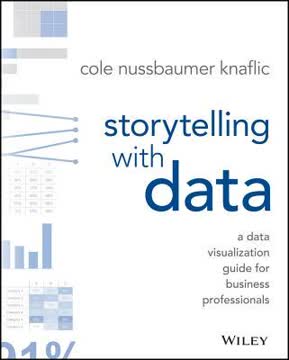
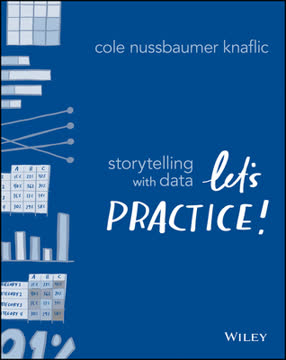
Other books by Cole Nussbaumer Knaflic
Download PDF
Download EPUB
.epub digital book format is ideal for reading ebooks on phones, tablets, and e-readers.